Docker Hub Integration
🚧 Coming Soon — This integration is not yet available. Check back soon or join the waitlist to be notified when it launches.
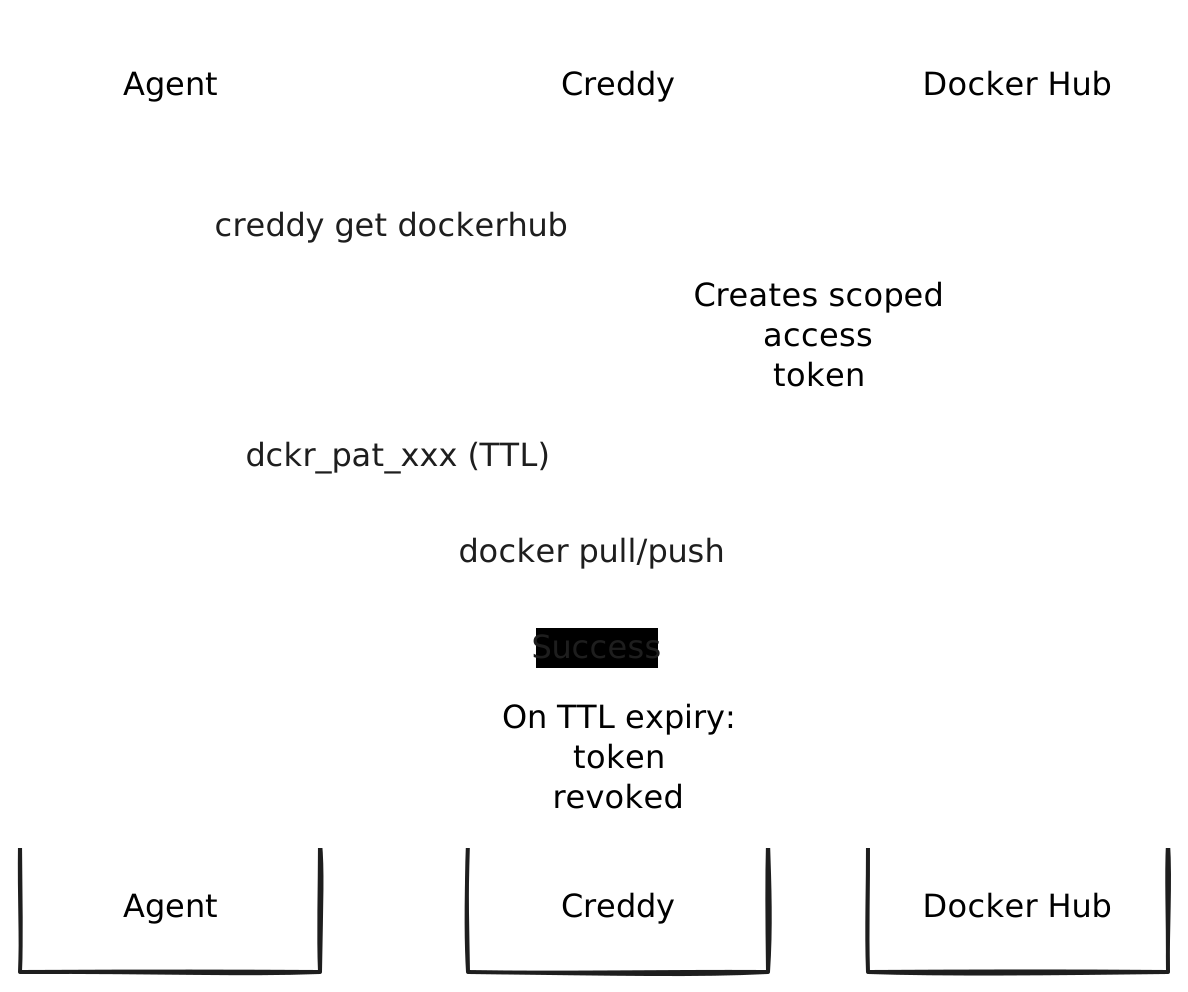
Creddy’s Docker Hub integration creates scoped Personal Access Tokens for your AI agents. Tokens can be limited to specific repositories with read or write access.
How It Works
Requirements
- Docker Hub account
- Personal Access Token with “Read, Write, Delete” scope (for creating scoped tokens)
Installation
creddy plugin install dockerhubConfiguration
1. Create Admin Token
- Log into hub.docker.com
- Go to Account Settings → Security → Access Tokens
- Create a token with “Read, Write, Delete” permissions
- Save the token securely
2. Configure Creddy
creddy backend add dockerhub \
  --username "myuser" \
  --password "dckr_pat_..."
Or via API:
curl -X POST http://localhost:8400/v1/admin/backends \
  -H "Content-Type: application/json" \
  -d '{
    "type": "dockerhub",
    "name": "dockerhub",
    "config": {
      "username": "myuser",
      "password": "dckr_pat_..."
    }
  }'
Agent Enrollment
creddy enroll --server http://creddy:8400 --name my-agent \
  --can dockerhub:myorg/myimage
Scopes
| Scope | Description |
|---|---|
dockerhub:* | Full access to all repositories |
dockerhub:<namespace>/* | Access to all repos in a namespace |
dockerhub:<namespace>/<repo> | Access to a specific repository |
dockerhub:<namespace>/<repo>:read | Pull-only access |
dockerhub:<namespace>/<repo>:write | Push and pull access (default) |
Requesting Tokens
# Get a token
TOKEN=$(creddy get dockerhub)

# Use with Docker
echo $TOKEN | docker login -u myuser --password-stdin

# Repository-scoped token
TOKEN=$(creddy get dockerhub --scope "dockerhub:myorg/myimage")

# Read-only token (pull only)
TOKEN=$(creddy get dockerhub --scope "dockerhub:myorg/myimage:read")
Using in CI/CD
# GitHub Actions example
- name: Login to Docker Hub
  run: |
    TOKEN=$(creddy get dockerhub --scope "dockerhub:myorg/myimage")
    echo $TOKEN | docker login -u myuser --password-stdin

- name: Build and push
  run: |
    docker build -t myorg/myimage:latest .
    docker push myorg/myimage:latest
Using with Docker Compose
# Set credentials
export DOCKER_USERNAME=myuser
export DOCKER_PASSWORD=$(creddy get dockerhub)

# Use in compose
docker compose pull
docker compose up
Token Lifecycle
TTL Expiry
Tokens are automatically deleted when their TTL expires:
# Request a 1-hour token
creddy get dockerhub --ttl 1h

# After 1 hour, Creddy deletes the token from Docker Hub
Agent Unenroll
When an agent is unenrolled, all their Docker Hub tokens are immediately revoked.
Read vs Write Access
| Scope Suffix | Docker Actions |
|---|---|
:read | docker pull only |
:write (or no suffix) | docker pull, docker push |
# CI agent that only needs to pull
creddy enroll --server ... --name ci-runner \
  --can dockerhub:myorg/baseimage:read

# Build agent that pushes images
creddy enroll --server ... --name builder \
  --can dockerhub:myorg/*:write
Security Considerations
- Use
:readscopes for agents that don’t need to push - Scope tokens to specific repositories when possible
- Use short TTLs for CI/CD jobs
- The admin token stored in Creddy can create any scoped token
Troubleshooting
”Login failed”
- Verify username and password are correct
- Check the admin token hasn’t expired
- Ensure the token has sufficient permissions
”Token creation failed”
- You may have hit Docker Hub’s token limit
- Verify your account is in good standing
Pull works but push fails
- Check your scope includes write access (no
:readsuffix) - Verify the repository exists and you have push permissions
Last updated on