OpenAI Integration
✅ Vend Mode: Creddy creates real OpenAI API keys (via Admin API). Agents use them directly with OpenAI.
Creddy’s OpenAI integration creates ephemeral API keys for your AI agents. Keys are created on-demand via the OpenAI Admin API and automatically deleted when they expire.
How It Works
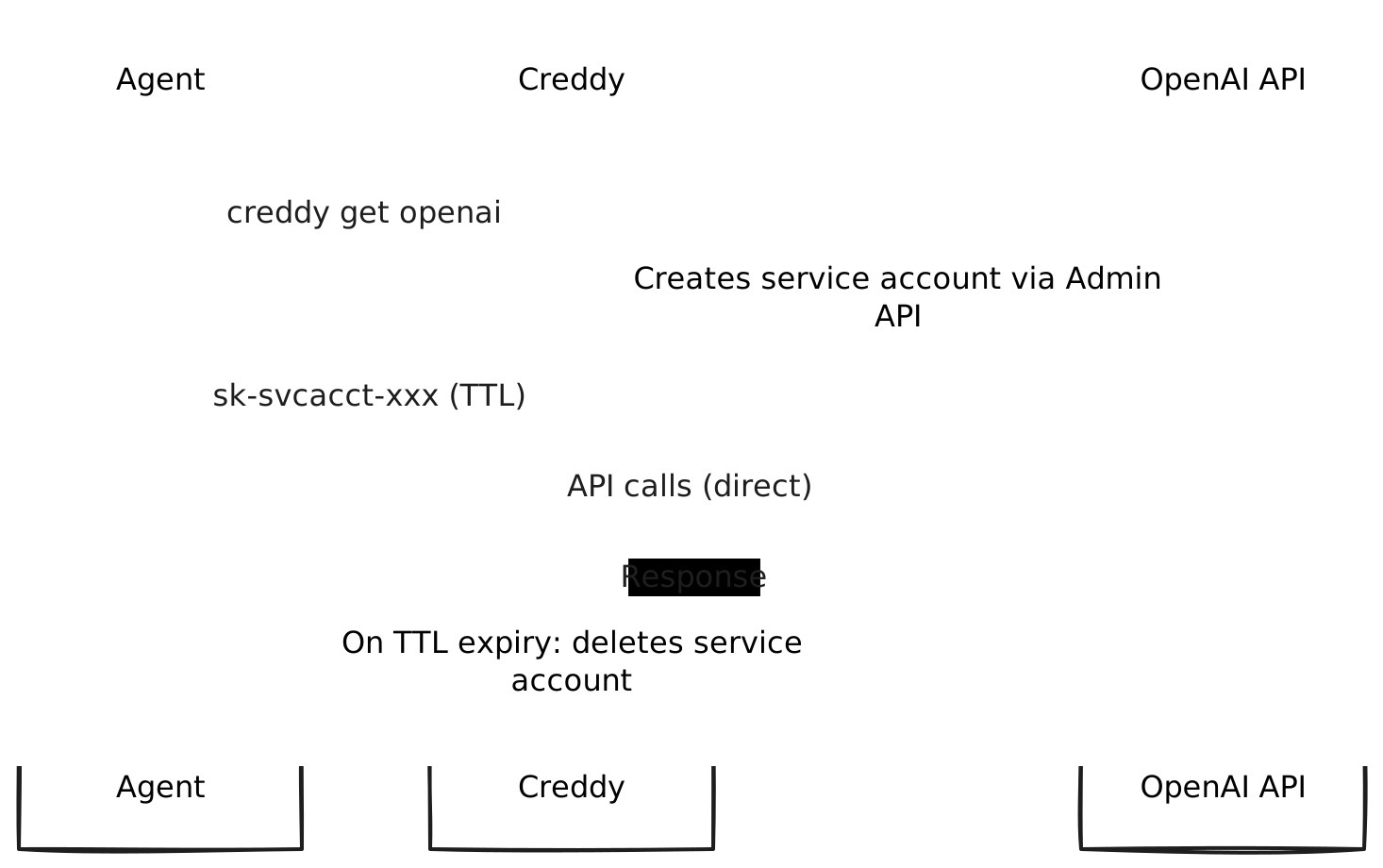
When an agent requests credentials:
- Creddy creates a new service account via the Admin API
- OpenAI returns a fresh API key (
sk-svcacct-...) - Creddy tracks the TTL and returns the key to the agent
- On expiry, Creddy deletes the service account (key immediately revoked)
Requirements
- OpenAI organization account
- Admin API key (
sk-admin-...) — requires organization owner to create - Project ID (defaults to first active project)
Installation
creddy plugin install openaiConfiguration
1. Create an Admin API Key
Admin API keys are different from regular API keys. Only organization owners can create them.
- Log into platform.openai.com
- Go to Settings → Organization → Admin API Keys
Direct link: platform.openai.com/settings/organization/admin-keys - Click Create admin key
- Give it a name (e.g., “creddy”)
- Copy the key — it starts with
sk-admin-
Important: Admin API keys can only be created by organization owners and have full administrative access. Keep them secure.
2. Configure Creddy
creddy backend add openai \
  --admin-key "sk-admin-..."
Optionally specify a project:
creddy backend add openai \
  --admin-key "sk-admin-..." \
  --project-id "proj_abc123"
Or via API:
curl -X POST http://localhost:8400/v1/admin/backends \
  -H "Content-Type: application/json" \
  -d '{
    "type": "openai",
    "name": "openai",
    "config": {
      "admin_key": "sk-admin-...",
      "project_id": "proj_abc123"
    }
  }'
If no project_id is specified, Creddy uses the first active project in your organization.
Agent Enrollment
Authentication: Agents can authenticate to Creddy using either vend tokens (
ckr_xxx) or OIDC (client_id/client_secret). Both work with OpenAI.
creddy enroll --server http://creddy:8400 --name my-agent \
  --can openai
Scopes
| Scope | Description |
|---|---|
openai | Full API access |
openai:gpt | Access to GPT models (chat completions) |
openai:dall-e | Access to DALL-E image generation |
openai:whisper | Access to Whisper audio transcription |
Note: OpenAI API keys currently provide full API access regardless of scope. Scopes are informational and used for policy enforcement within Creddy.
Requesting Keys
# Get an API key (1 hour default TTL)
export OPENAI_API_KEY=$(creddy get openai)

# Custom TTL
export OPENAI_API_KEY=$(creddy get openai --ttl 30m)

# Scoped request (for policy enforcement)
export OPENAI_API_KEY=$(creddy get openai --scope "openai:gpt")
Using with Python
import os
from openai import OpenAI

# Uses OPENAI_API_KEY from environment
client = OpenAI()

response = client.chat.completions.create(
    model="gpt-4",
    messages=[{"role": "user", "content": "Hello!"}]
)
Using with curl
curl https://api.openai.com/v1/chat/completions \
  -H "Authorization: Bearer $OPENAI_API_KEY" \
  -H "Content-Type: application/json" \
  -d '{"model": "gpt-4", "messages": [{"role": "user", "content": "Hello!"}]}'
Key Lifecycle
Creation
When you request a key, Creddy:
- Creates a service account via
POST /v1/organization/projects/{project_id}/service_accounts - OpenAI returns the service account with an API key
- Key is immediately usable (may take 1-2 seconds to propagate)
TTL Expiry
When the TTL expires, Creddy:
- Deletes the service account via
DELETE /v1/organization/projects/{project_id}/service_accounts/{id} - Key is immediately invalidated (may take a few seconds to propagate)
Agent Unenroll
When an agent is unenrolled, all their active OpenAI keys are revoked immediately.
Security Considerations
- Protect your Admin API key — it can create/delete any service account in your organization
- Use short TTLs (30m-1h) for untrusted agents
- Consider separate OpenAI organizations for different trust levels
- Monitor usage in the OpenAI dashboard
- Service accounts appear in Settings → Organization → Projects → [Project] → Service Accounts
Troubleshooting
”admin_key must be an Admin API key (starts with sk-admin-)”
You’re using a regular API key. Admin API keys:
- Start with
sk-admin- - Are created at Settings → Organization → Admin API Keys
- Require organization owner access to create
”no projects found in organization”
Your organization needs at least one project. Create one in the OpenAI dashboard under Settings → Organization → Projects.
”Key not working immediately after creation”
OpenAI has eventual consistency. Keys may take 1-2 seconds to become active after creation. The Creddy plugin handles this automatically.
”Key still works after revocation”
OpenAI’s key revocation can take up to 10 seconds to propagate. This is expected behavior.
API Endpoints Used
For reference, the plugin uses these OpenAI Admin API endpoints:
| Operation | Endpoint |
|---|---|
| List projects | GET /v1/organization/projects |
| Create service account | POST /v1/organization/projects/{project_id}/service_accounts |
| Delete service account | DELETE /v1/organization/projects/{project_id}/service_accounts/{id} |